
 Loyalty club
A digital loyalty card that brings customers back
Every visit adds a stamp by itself. No app for customers. No hand stamp at the desk.
No credit card required
 Try it on WhatsApp



Every card your business needs, in one place
A digital stamp card
Every visit adds a stamp by itself. After 8 stamps, a free manicure.
- The stamp lands after each finished visit.
- It is taken back if the customer cancels or does not show.
- The stamp shape and colour are yours to pick.
 Leila Nails
Points that turn into rewards
The customer collects points on every visit or purchase and swaps them for a reward they choose.
- Points per visit or per amount spent.
- A ladder of rewards at several levels.
- The points balance shows on the card.
Gift HouseClub
A share of every payment goes back to the customer
A percentage of each visit returns as a balance on the card, to use next time.
- A percentage you set.
- The balance is used on the next booking.
- A credit gift on their birthday.
 Smile Dental
A gift card with an amount
Bought from your page or at the desk, and delivered to the recipient in a message. The balance is used down to the last shekel.
- Amounts you set, or an amount the customer picks.
- Sent to the recipient in a message.
- Used on a booking or at the desk.
Lamsa Spa₪300
A gift that arrives on its own
A gift for every new customer who joins, and one on their birthday. The card and the message arrive by themselves.
- A welcome gift on joining.
- A birthday gift right on time.
- Every gift has an expiry.
 The Barber
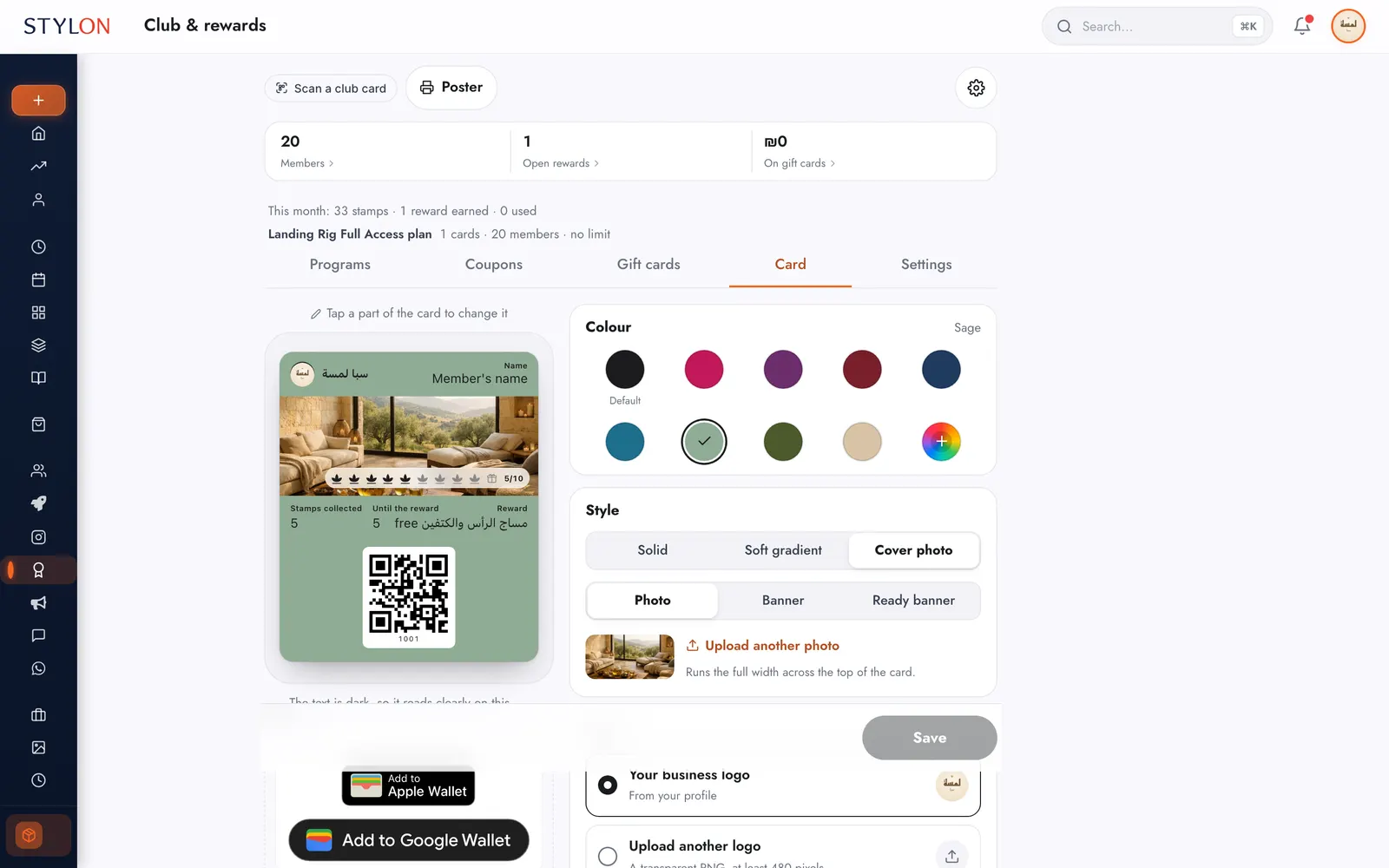
The stamp, the card colour and the reward, as you like
Pick a stamp that suits your trade and a colour that looks like your business, and write the reward. The card changes in front of you.
Stamps or points, and the reward is yours
Choose a stamp card, points or cashback, and set the reward and how long it lasts.
A free service30-minute massage after 10 stamps A free productA massage oil as a giftWelcome and birthday giftOn joining, and on their birthday
- Customers join from your booking page or from a QR code on a poster in the shop.
- The stamp counts even when they pay cash, and is taken back if they cancel or do not show.
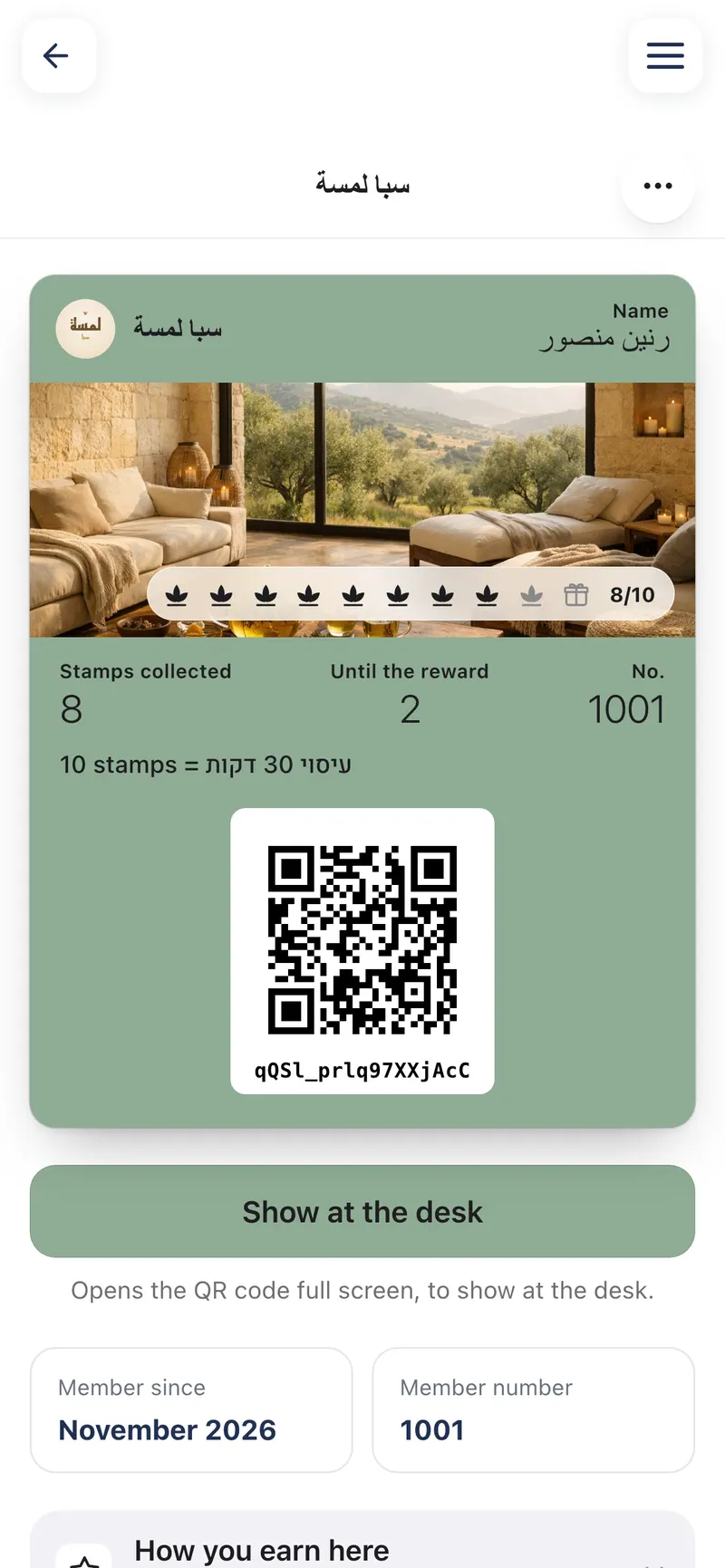
The card in Apple Wallet, or on the "My cards" page
On an iPhone the customer adds the card to Apple Wallet with one tap, no app and no sign-up, and every new stamp shows on it by itself. Everyone else finds the card on the "My cards" page of your booking page.
- The card updates after every visit.
- A QR code to show at the desk.
- A lock-screen alert when a new stamp arrives.

From the visit to the stamp, with no work from you
- The visit endsThe appointment closes in the calendar
- The stamp landsOn the customer's card in their phone
- A message to the customer"7 of 10, 3 to go for the reward"
- The reward is usedOn the next booking, or at the desk
Messages at the right moment
A birthday, a reward about to expire, or time to book again. The messages go out by themselves, and you choose which ones.
Gift cards from your page and at the desk
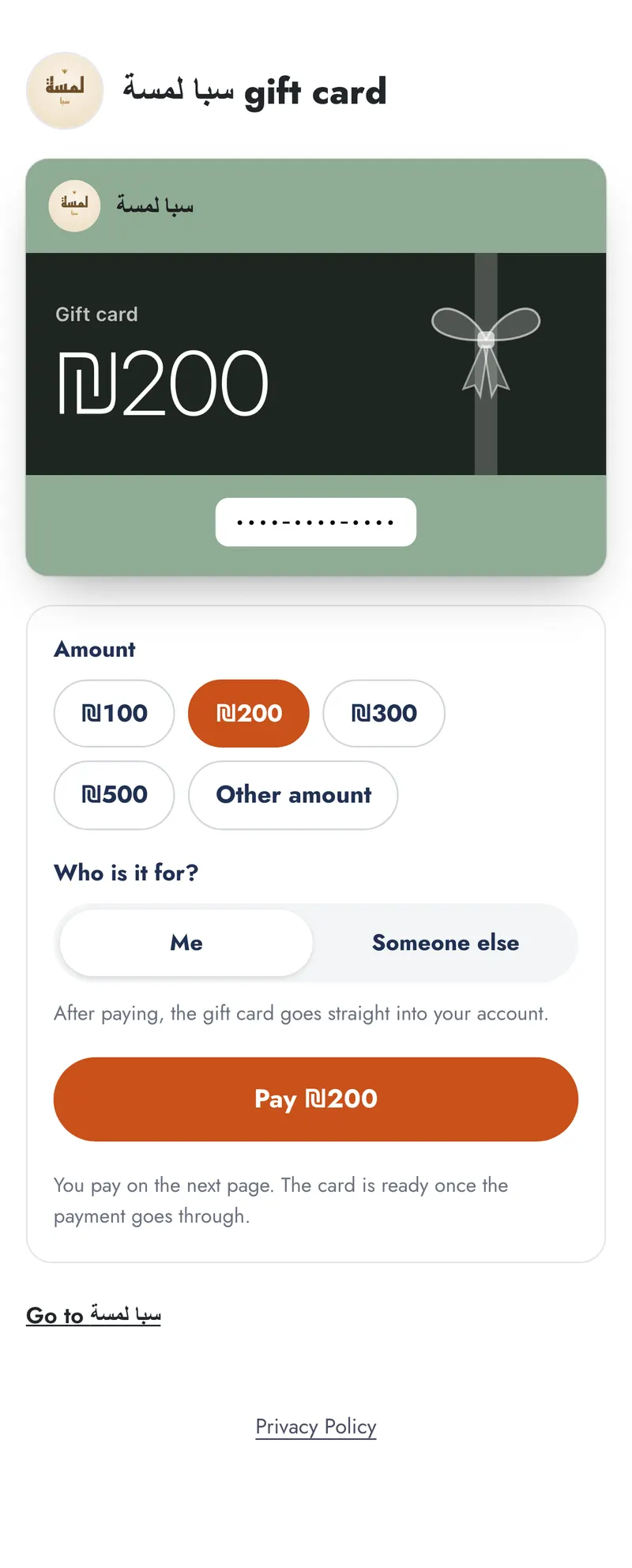
The customer buys a gift card by card payment, writes the name of the person and a message, and the money reaches your account.
- Amounts you set, or an amount the customer picks.
- Sent to the recipient in a message.
- Used on a booking or at the desk.
- The card balance is visible down to the last shekel.
A card for every business
Frequently asked questions
Does the customer need an app?
No. Customers join from your booking page or from a QR code on a poster in the shop, and their card appears on the "My cards" page. Anyone on an iPhone adds it to Apple Wallet with one tap.
Does a stamp count if the customer paid cash?
Yes. The stamp lands after every visit finished in the calendar, whether the customer paid cash or by card. It is taken back if they cancel, do not show or get a refund.
Can I use points or cashback instead of stamps?
Yes. You choose a stamp card, points or cashback, and set the reward and how long it lasts: a free service, a discount by amount or percent, or a free product.
Is the card in the free trial?
Yes. You try one card for your first 50 members with no credit card, and get to know the designer, the messages and the gift cards before you decide.
Can I design the card myself?
Yes. You pick the stamp shape, the colour, the cover photo and the reward yourself, or ask Luna to design it with you.
Design your card today
Pick the stamp, the colour and the reward, and the first stamp lands after the first visit.
No credit card required
Try it on WhatsApp