
A Room Is a Resource, Not a Note
Rooms, chairs and equipment that get booked alongside the person delivering the service — so two appointments can never quietly need the same room.
Start NowHow It Works
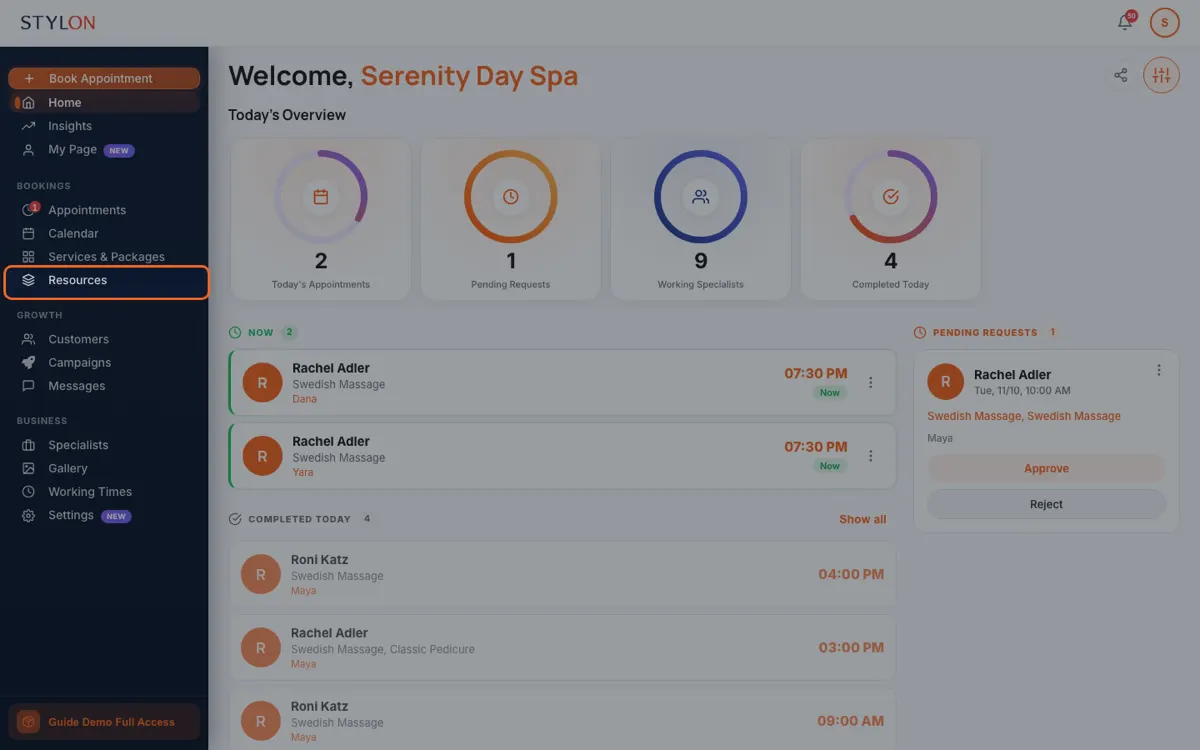
Add your rooms, chairs and equipment as bookable resources
Tell each service which resource it needs, and whether it needs one at all
Availability then accounts for the room as well as the specialist
Key Benefits
In detail
Availability has two constraints
A free specialist in a full building cannot see anyone. Treating rooms as resources means the times you offer are times when both the person and the space exist. That is why the calendar stops producing bookings you have to rearrange on the day.
Two treatments, one therapist, one room
A client having two treatments in a row from the same therapist occupies one room for the whole of it, not two. Getting that wrong makes a solvable day look fully booked, and it is the kind of arithmetic that is easy to get wrong once and never notice.
A pinned room stays pinned
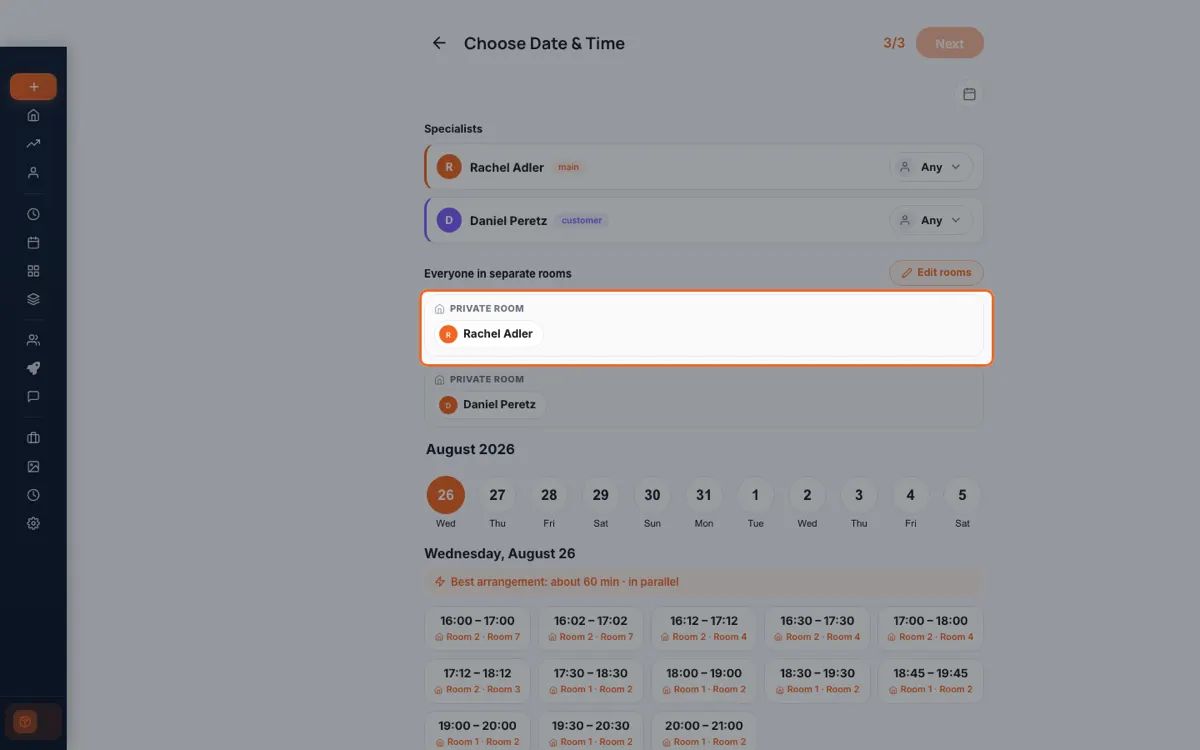
If you put someone in a particular room for a reason — accessibility, equipment, quiet — an automatic reshuffle later is not a convenience, it is a problem. Overrides are honoured for the life of the booking.
From inside Stylon
What's included
- Rooms, chairs and equipment
- Bookable resources, checked alongside staff availability.
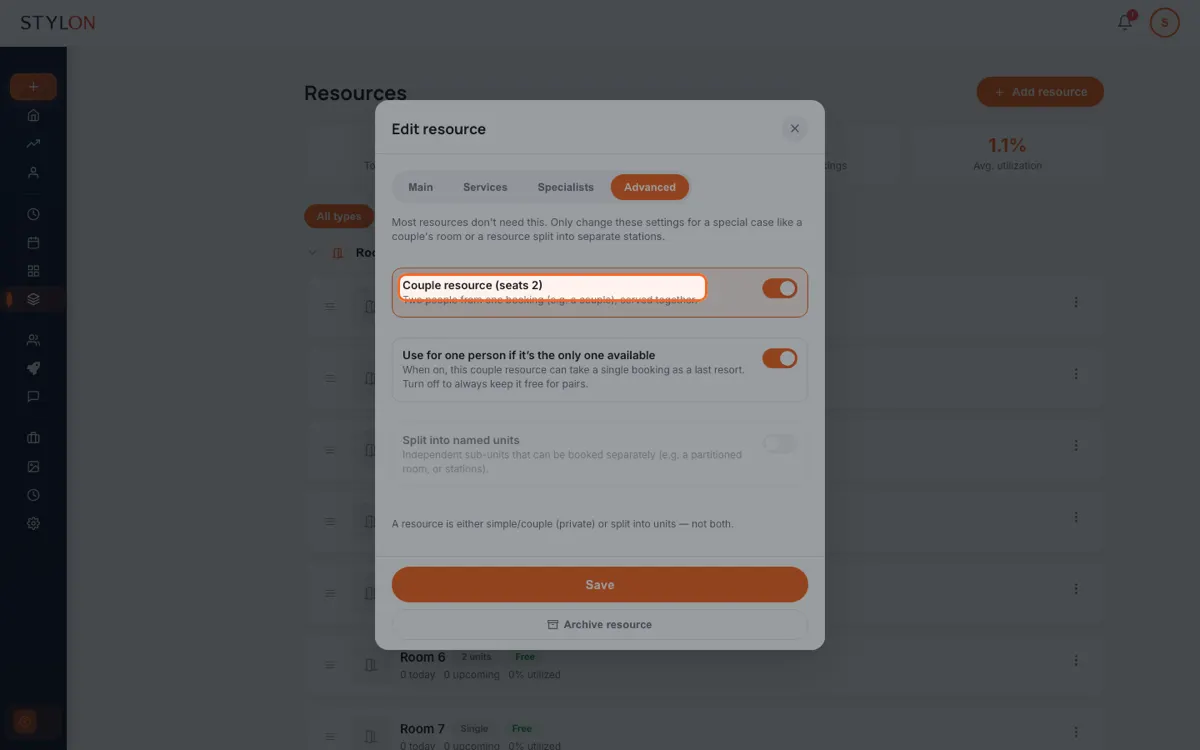
- Couples rooms
- One room holding two guests on a single booking.
- Occupancy view
- See whether your constraint is staff or space.
Frequently Asked Questions
Then say so, and it will not consume one. A consultation that happens at the desk should not make a treatment room unavailable, and marking it as needing nothing is what prevents that.
Yes — a couples room holds two guests on one booking, with two specialists if the treatment needs them. The room is occupied once, not twice, which is the whole point.
Yes. Assignment is automatic by default, and you can override it for a booking that needs a particular room. The override sticks rather than being reshuffled later.
How to Use: Rooms & Resources
Resources → New. Add rooms, chairs or equipment.
Services → open a service → Resources → choose what it requires, or nothing.
On the resource, set its capacity to two so it can hold a pair on one booking.
On the booking, pick the specific room you want instead of the automatic choice.
Resources → Occupancy to see how full your space is against your staff.
Related features
Built for
Ready to get started?
Join businesses already running smarter with Stylon. No credit card required.
Start Now