
Covered, and Able to Show It
Build the agreements your work requires, scope each one to the treatments it actually covers, capture a signature, and produce the PDF later when someone asks.
Start NowTry it right here
Watch the clauses assemble and the signature land. Note what it says underneath about scope.
The procedure, the area, and how many sessions it covers.
What to expect, what to avoid, and when to call.
Whether before-and-after images may be kept, and who may see them.
Notice period and what a late cancellation costs.
This signature is scoped to this treatment — a later procedure asks again, and the file records which consent covered what.
How It Works
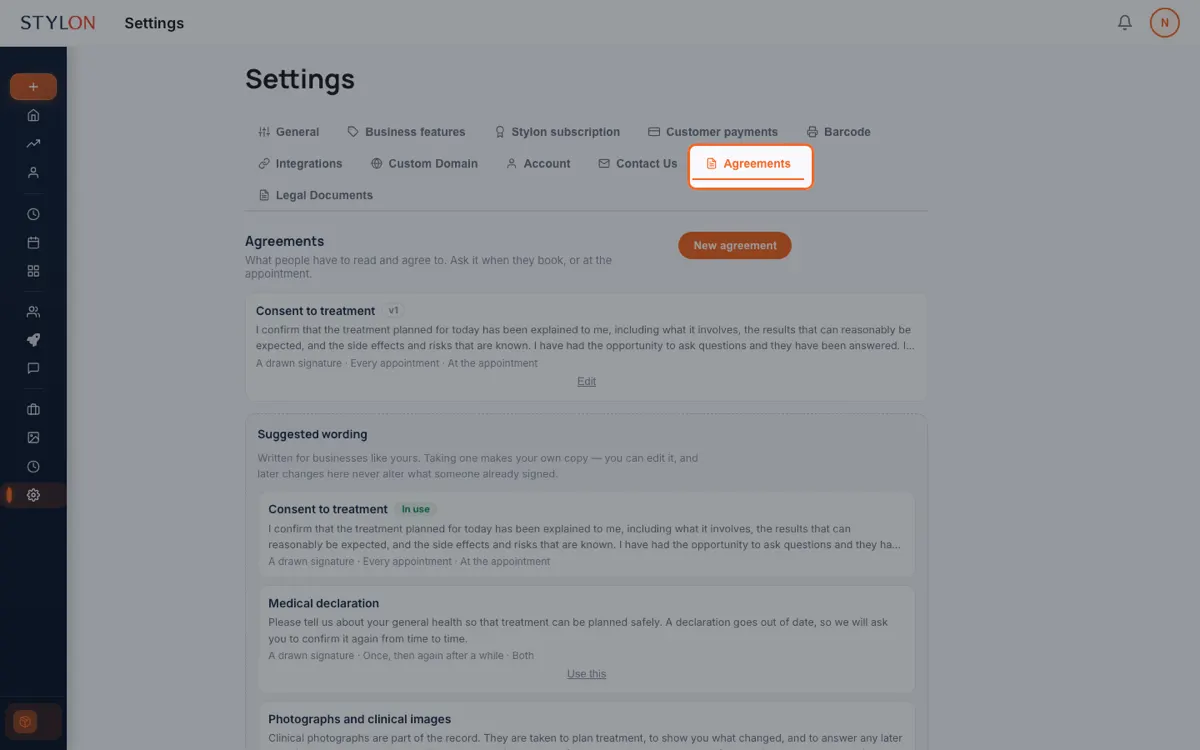
Start from a template or write your own clauses, once
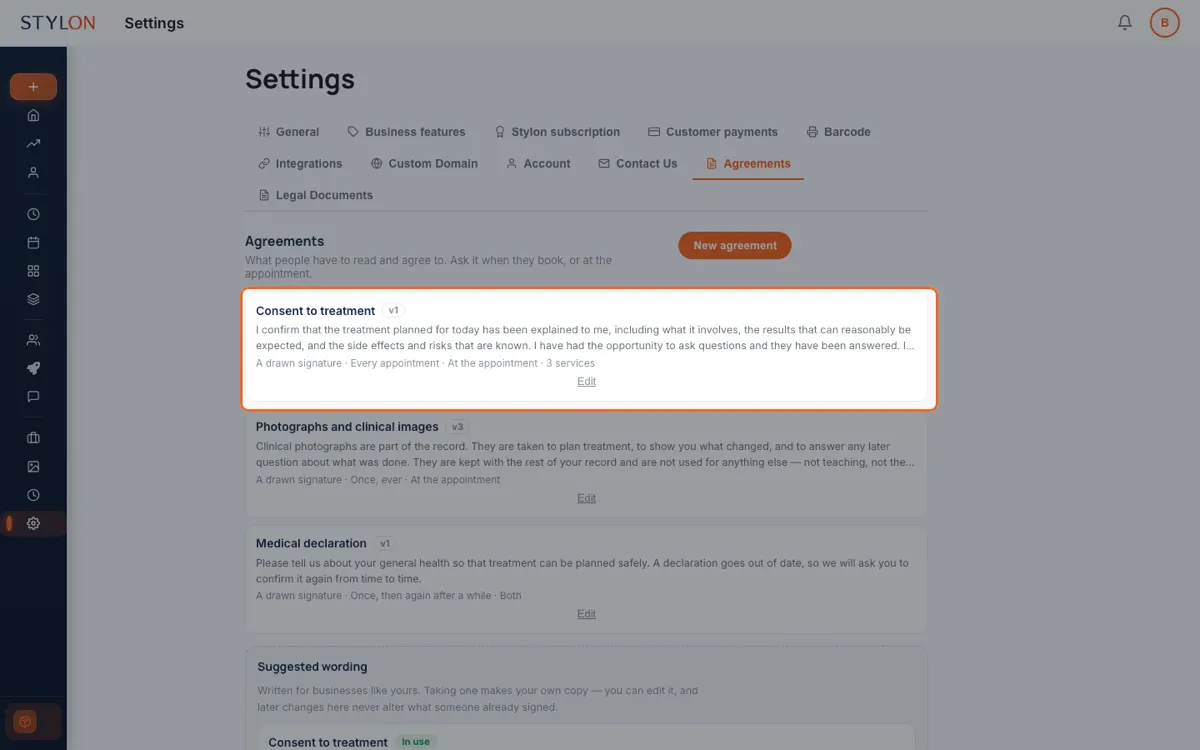
Scope the agreement to the services and treatments it covers
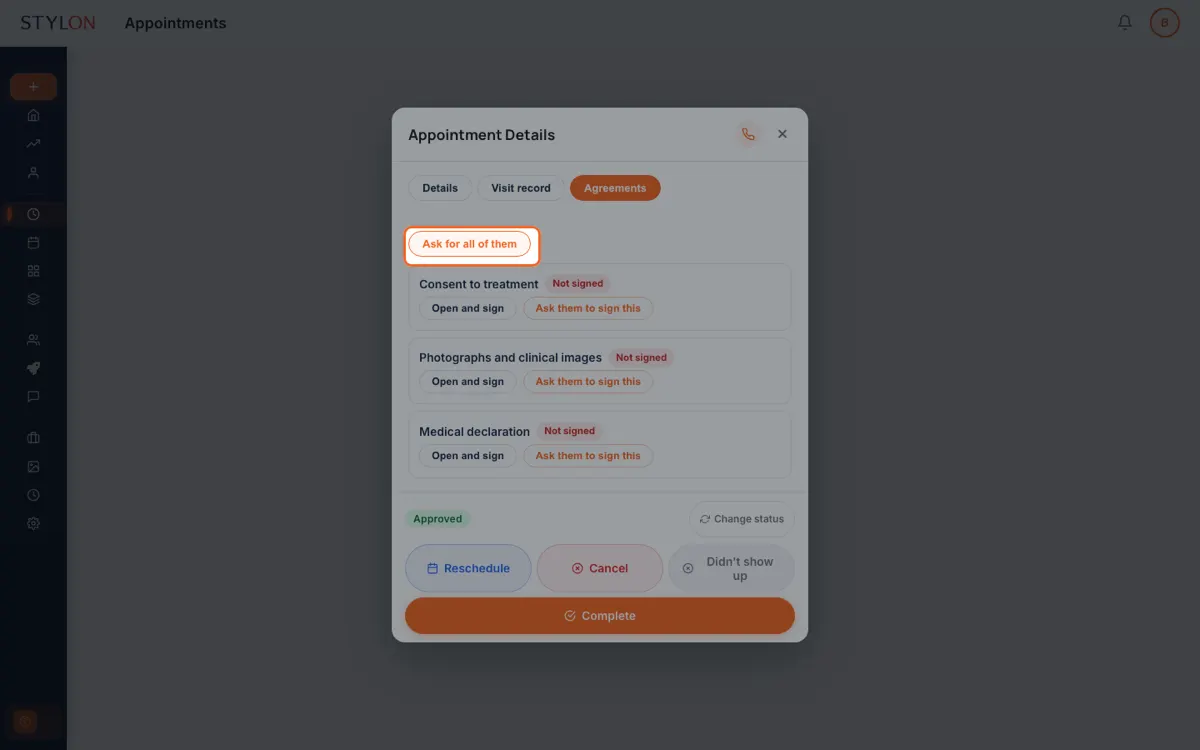
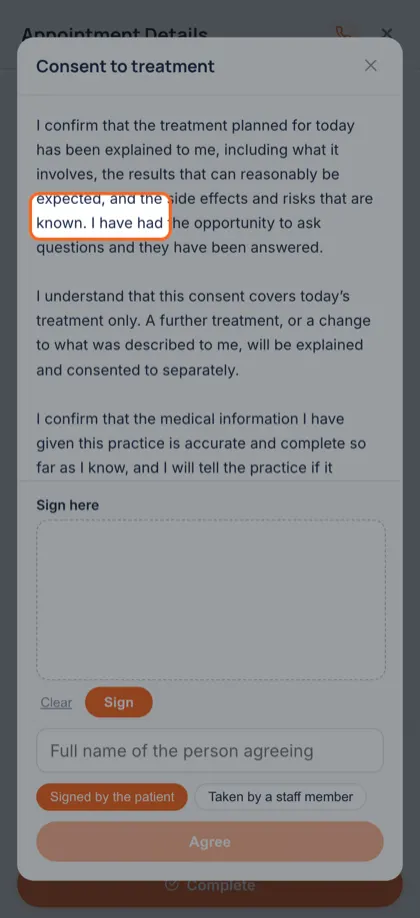
Capture the signature at the appointment, and the record keeps which consent covered what
Key Benefits
In detail
A template you adopt is a copy, not a link
Adopting a platform template gives you your own version of it. Your edits cannot leak sideways into another business. And a later revision to the original cannot change wording a client already put their name to.
Scope is the whole point
A signature sitting in a file is not consent for what you are about to do. Scoping an agreement to specific treatments means a new procedure asks again. Look back later and you can say which document covered which visit, rather than pointing at a folder.
The signature is captured, not described
The client signs on screen, and the signature is stored with the date, the signer and the version of the text they saw. That is the difference between a record that answers a question and a note saying consent was obtained.
It lives with the rest of the record
Agreements sit on the client record, beside the clinical notes, the uploaded files and the treatment plan. The moment you need one, you are already looking at that person's file — not searching a document store.
From inside Stylon
What's included
- Adoptable templates
- Start from a platform template; it becomes your own editable copy.
- Scoped to treatments
- An agreement covers named services, and nothing beyond them.
- On-screen signature
- Captured with the date, the signer and the text version shown.
- PDF output
- Produce the signed document later, from the client's record.
Frequently Asked Questions
How to Use: Agreements & Consents
Related features
Ready to get started?
Join thousands of businesses already using Stylon. No credit card required.
Start Now