
Price the Area, Not the Guess
Map your services onto the body and a session is scoped by area — what was treated, what it costs, and what was treated there last time.
Start NowTry it right here
Pick areas on the figure the way you would at the start of a session. Front and back are separate views.
- Abdomen
- Bikini line
How It Works
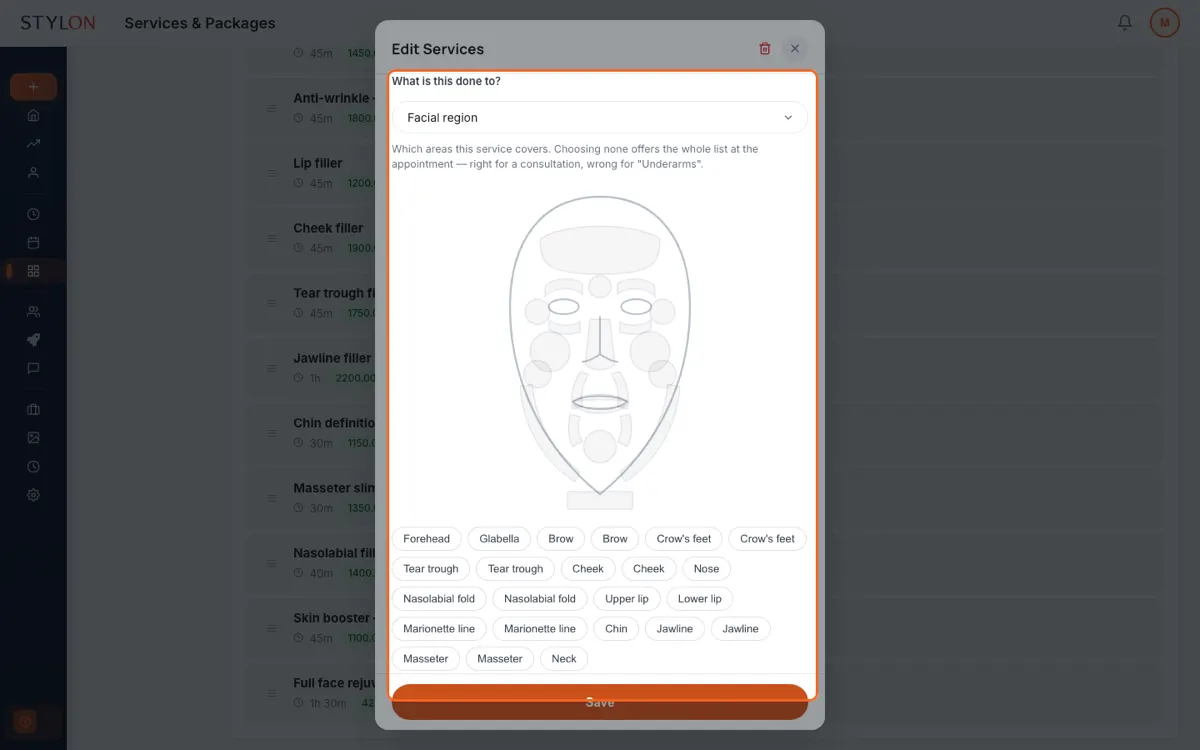
Define which body areas each service covers, once, in your service catalogue
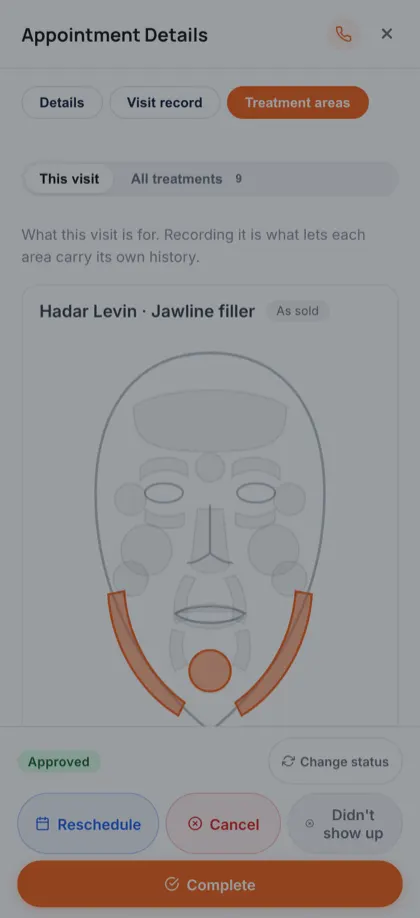
At booking or at the chair, select the areas this session actually treats
The visit records those areas, so pricing and history follow the body rather than a note
Key Benefits
In detail
The figure is drawn, not generated
A thigh is thigh-shaped and a shoulder is shoulder-shaped. A band across the legs can only ever look like a band, however carefully it is clipped to an outline. Front and back are separate drawings — a back has shoulder blades and no face.
Left means the patient's left
On the front view that is drawn to your right; on the back view, to your left. Only separate drawings can do that, which is why these are two drawings rather than one flipped. A body map that points at the wrong arm is worse than no body map.
Codes are derived, never copied
An appointment can be created a dozen ways — desk, storefront, group, phased, walk-in. Every one of them derives the visit's codes from the areas on the record at the time. No path can carry a stale code forward from a booking made weeks ago.
Areas feed pricing, plans and history together
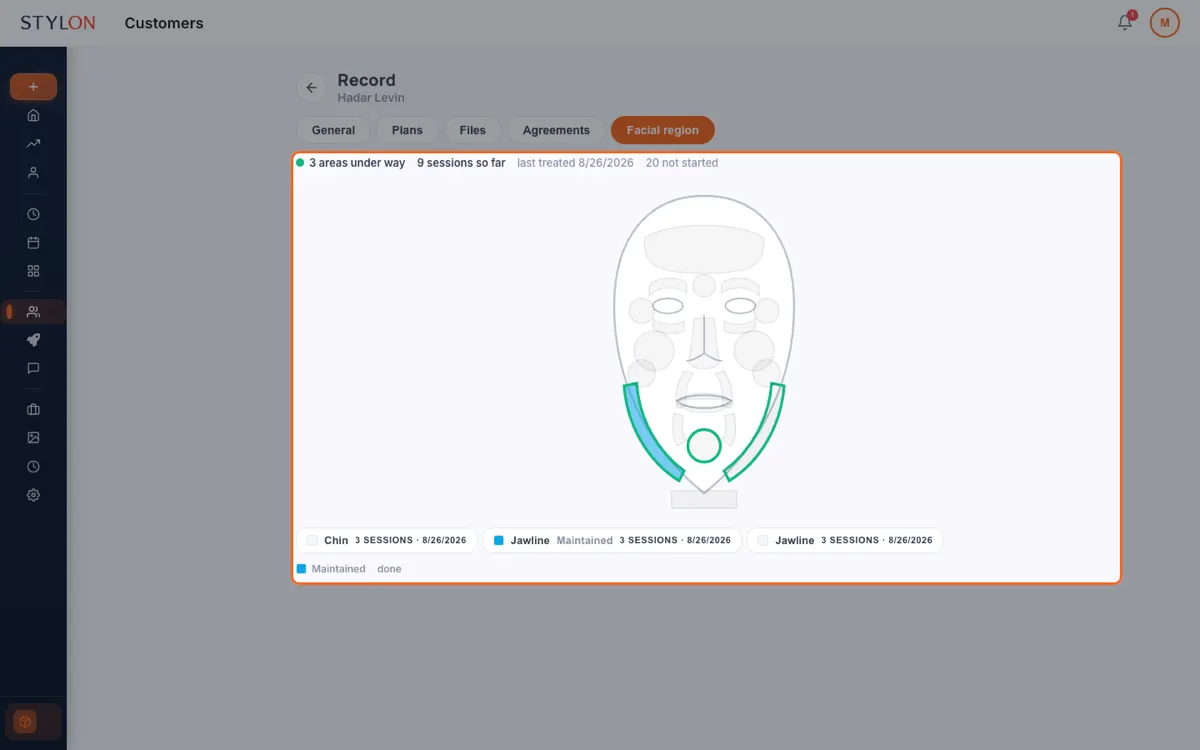
The same selection prices the session, fills the treatment plan item, and lands in the area history. One action, three places, no re-entry — which is what stops the record and the invoice from telling different stories.
From inside Stylon
What's included
- Per-service area catalogue
- Each service names the body areas it can be applied to.
- Derived visit codes
- Codes come from the areas on the record, so they never drift from it.
- Area-based pricing
- A session's price follows what was actually treated.
- Per-area history
- When each area was last treated, and by whom.
Frequently Asked Questions
How to Use: Treatment Areas
Related features
Built for
Ready to get started?
Join thousands of businesses already using Stylon. No credit card required.
Start Now